
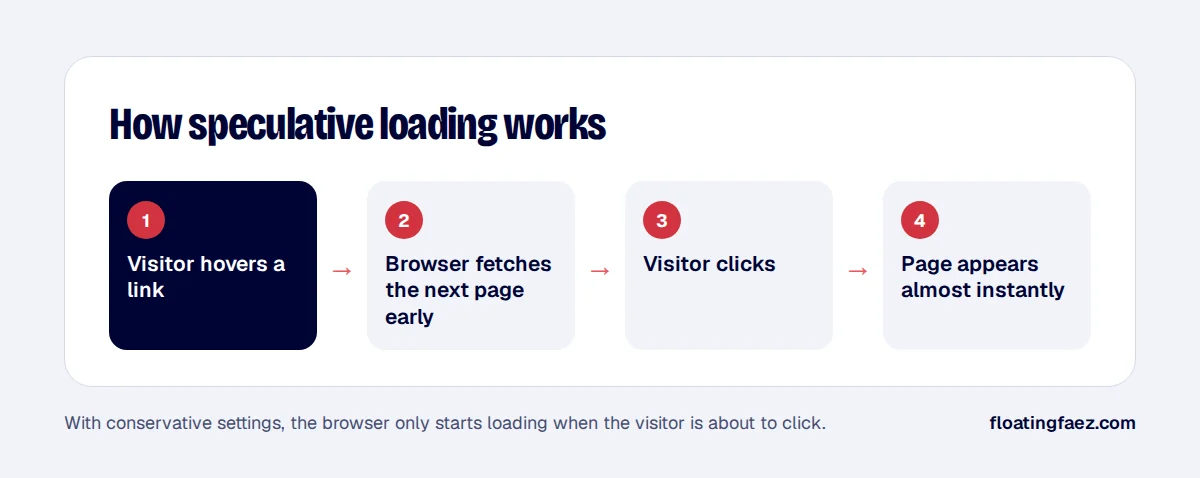
Most speed work makes a page load faster. Speculative loading does something different: it starts loading the next page before the visitor clicks, so the page change feels close to instant.
What WordPress does by default
Since WordPress 6.8 (April 2025), core adds speculation rules to front-end pages using the browser’s Speculation Rules API. By default it uses prefetch with conservative eagerness: the browser downloads the next page’s HTML when the visitor starts clicking or tapping a link. Browsers that don’t support the API simply ignore it.
Prefetch vs prerender
- Prefetch downloads the HTML of the next page. It’s cheap and safe.
- Prerender downloads the page and renders it in the background, including running scripts. Navigation feels instant, but it uses more resources, and analytics scripts may run before the visit happens.
Eagerness levels
- Conservative: starts on pointer down or touch start. Lowest waste.
- Moderate: starts after the visitor hovers a link for a short moment. Faster, slightly more waste.
- Eager: starts as soon as links are visible or likely. Fastest, most waste.
Safety on WooCommerce
Speculative loading should never trigger actions. WordPress excludes logged-in admin links and URLs with query strings by default, but on a store you should also make sure nothing speculative hits:
- Add-to-cart links that use query strings such as
?add-to-cart=123. - Cart, checkout and account pages.
- Logout links and anything else that changes state.
Developers can add exclusions with the wp_speculation_rules_href_exclude_paths filter:
add_filter( 'wp_speculation_rules_href_exclude_paths', function ( $paths ) {
    $paths[] = '/cart/*';
    $paths[] = '/checkout/*';
    $paths[] = '/my-account/*';
    return $paths;
} );
Should you change the default?
For content sites and catalogues, moving to prerender with moderate eagerness can make browsing feel dramatically faster. Test it on staging, check that your analytics doesn’t count prerendered pages as visits, and watch server load during busy periods.
Speculative loading won’t fix a slow server or heavy pages, but on an already-optimised site it’s one of the cheapest wins left. It’s part of every speed project I run.