
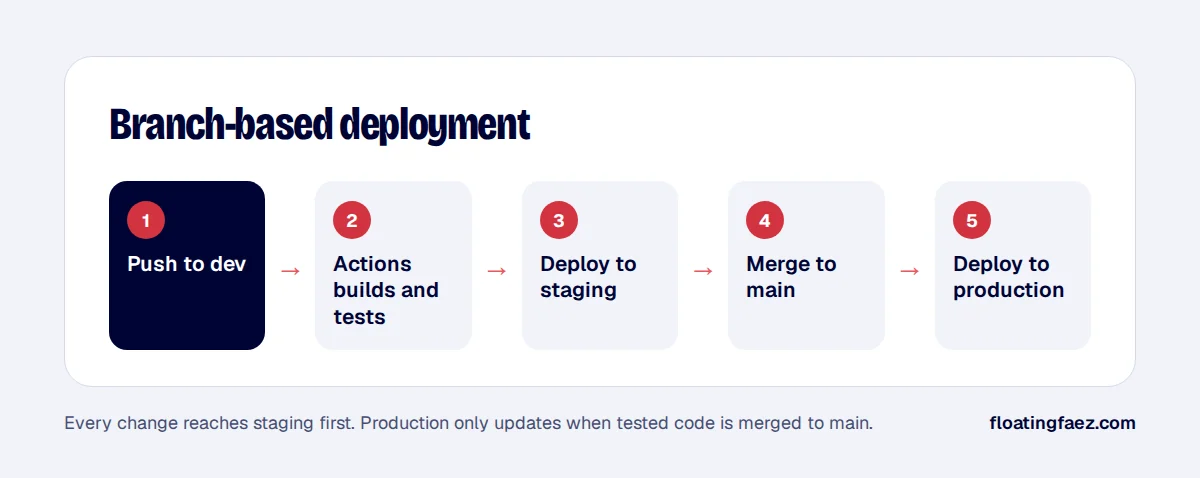
For client platforms, I want releases to be boring: no one logs in to a server, no one copies files by hand, and every change goes through staging first. Here’s the pipeline I use for apps with a React front end and a FastAPI back end.
The shape of the project
frontend/: React with TypeScript, built to static files.backend/: FastAPI with PostgreSQL.docker-compose.ymlfor local development and for the servers.- Two environments: staging (from the
devbranch) and production (frommain).
1. Dockerise both parts
The back end runs as a container from a slim Python image. The front end is built in a Node image and served as static files by Nginx. Keeping images small makes builds and deploys faster.
# backend/Dockerfile
FROM python:3.12-slim
WORKDIR /app
COPY requirements.txt .
RUN pip install --no-cache-dir -r requirements.txt
COPY . .
CMD ["uvicorn", "app.main:app", "--host", "0.0.0.0", "--port", "8000"]
2. One workflow, two targets
A GitHub Actions workflow runs on pushes to dev and main. It installs dependencies, runs tests, builds the images and deploys to the matching server.
on:
  push:
    branches: [dev, main]
jobs:
  deploy:
    runs-on: ubuntu-latest
    environment: ${{ github.ref_name == 'main' && 'production' || 'staging' }}
    steps:
      - uses: actions/checkout@v4
      - name: Run tests
        run: docker compose run --rm backend pytest
      - name: Deploy
        run: ./scripts/deploy.sh
        env:
          SSH_KEY: ${{ secrets.SSH_KEY }}
          HOST: ${{ vars.HOST }}
GitHub environments hold separate secrets and variables for staging and production, so the same workflow deploys to the right place with the right credentials.
3. Deploy without downtime drama
The deploy script connects over SSH, pulls the new images, runs database migrations, and restarts the containers. For small apps, a short restart is acceptable. For busier ones, run two back-end containers behind Nginx and restart them one at a time.
4. Keep secrets out of the repository
- Database passwords, API keys and storage credentials live in GitHub secrets and in environment files on the server.
- Production uses separate credentials from staging, for example a different S3 bucket and email sender.
5. Make staging real
Staging should match production: same Docker images, same database engine, similar data (anonymised). If staging is different, it can’t catch the bugs that matter.
This is the pipeline behind the platform in my Flytte Møller case study. Need one for your app? Let’s talk.