A VPS gives you a lot of power for little money: several WordPress sites, a Node or Python app, and a database, all on one server. It also makes you the system administrator. Here’s the checklist I work through before anything goes live.
1. Access
- Log in with SSH keys, and disable password logins.
- Disable direct root login; use a normal user with sudo.
- Consider moving SSH to a non-standard port to cut down noise in the logs (it’s not real security, just less noise).
- Install Fail2ban or a similar tool to block repeated failed logins.
2. Firewall
- Allow only what you need: usually SSH, HTTP and HTTPS.
- Keep database ports (MySQL, PostgreSQL, Redis) closed to the internet; apps connect locally or over a private network.
- If a control panel like aaPanel is installed, restrict its port to your IP address or protect it behind a VPN.
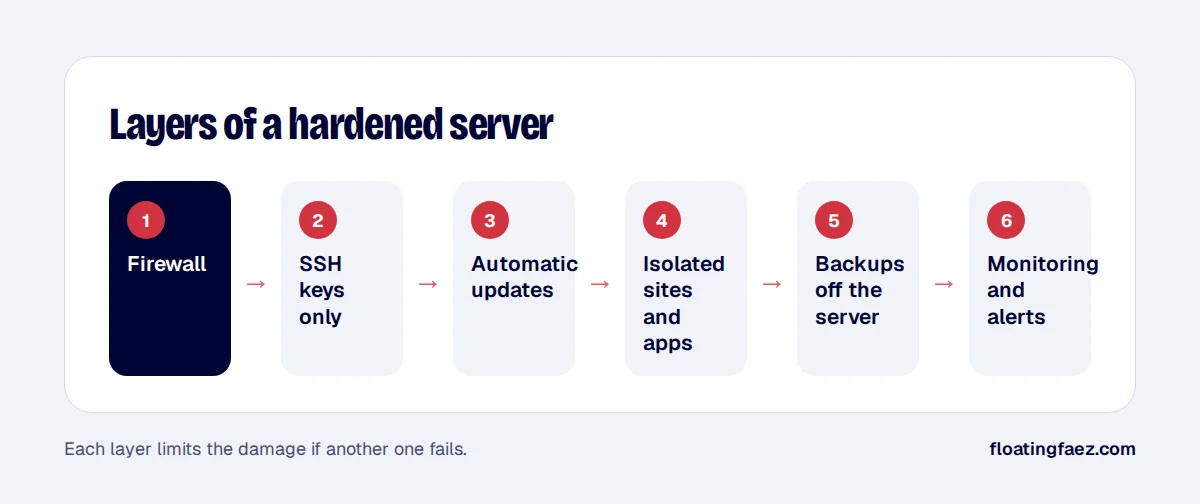
3. Updates
- Turn on automatic security updates for the operating system.
- Keep PHP, Node, Docker and the database on supported versions.
- Update WordPress core, plugins and themes regularly, via staging.
4. Isolation
- Run each site under its own system user where your panel allows it, so one hacked site can’t read another.
- Run apps in Docker containers with only the ports and volumes they need.
- Use separate database users with access to only their own database.
5. WordPress specifics
- Disable file editing in the dashboard with
define( 'DISALLOW_FILE_EDIT', true );inwp-config.php. - Use strong admin passwords and two-factor authentication.
- Remove unused plugins and themes.
- Limit or protect
xmlrpc.phpif you don’t use it.
6. Backups
- Daily backups of files and databases, stored off the server, for example in S3-compatible storage.
- Test a restore regularly. A backup you’ve never restored is a hope, not a backup.
7. Monitoring
- Uptime monitoring with alerts by email or chat.
- Disk space alerts: full disks take down databases.
- Review logs after any alert.
None of this is exotic, but skipping any of it is how small servers get compromised. If you’d like a server set up or reviewed, it’s part of my DevOps and hosting service.