
Search engines and AI systems understand your store much better when it speaks their language. That language is schema.org structured data, usually as JSON-LD in the page head. WooCommerce and SEO plugins output some of it automatically, but the defaults often leave out the fields that matter most.
The schema types a store needs
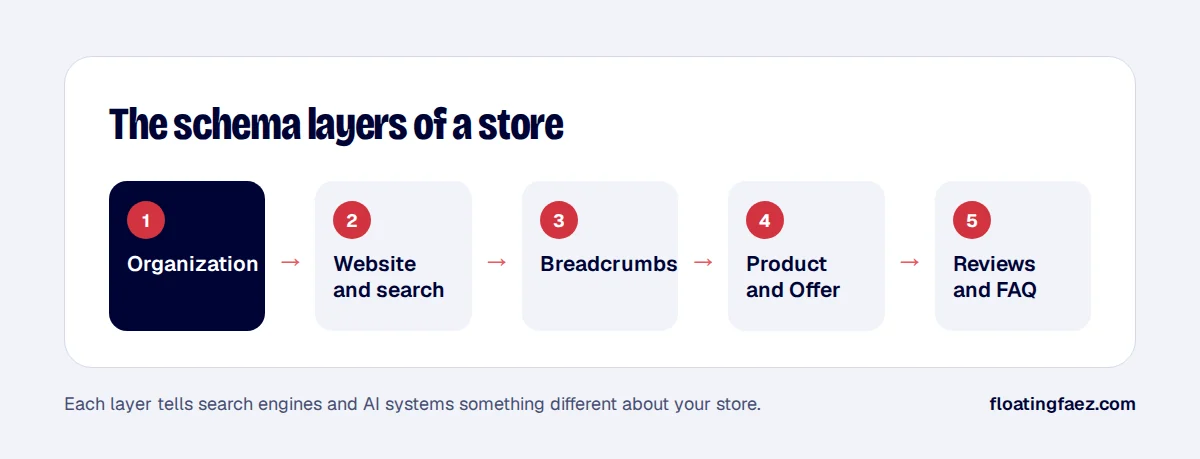
- Organization: your business name, logo, contact details and social profiles.
- WebSite: your site name, and the search box if you have one.
- BreadcrumbList: where each page sits in your structure.
- Product with Offer: on every product page.
- FAQPage: only where you have a genuine FAQ visible on the page.
Product fields that matter most
| Field | Why it matters |
|---|---|
| name, description, image | The basics, used everywhere |
| sku, gtin, brand | Match your product to the same item elsewhere |
| offers.price, priceCurrency | Required for price in results |
| offers.availability | In stock, out of stock or pre-order |
| shippingDetails | Delivery cost and time in results |
| hasMerchantReturnPolicy | Return window and cost |
| aggregateRating, review | Stars, only from real reviews on the page |
GTINs and brand are the most commonly missing. Shipping and return policy can also be set at account level in Google Merchant Center, but adding them to your markup keeps everything consistent.
Common mistakes
- Two Product blocks on one page, one from the theme and one from the SEO plugin, with different prices.
- Prices without currency, or sale prices that don’t match the visible price.
- Variable products showing only one variation’s price. Use an offer range or one offer per variation.
- Fake or imported reviews in markup. That’s against Google’s guidelines and a risk to your rich results.
Rank Math and WooCommerce
Rank Math’s WooCommerce schema covers most Product fields. Map GTIN and brand to your product attributes or custom fields, set your organisation details in the Knowledge Graph settings, and disable any duplicate schema from your theme.
How to test
- Run a product URL through Google’s Rich Results Test.
- Check Search Console’s Merchant listings and Product snippets reports for warnings.
- Spot-check that the price in the markup matches the price on the page.
Good structured data helps classic rich results today and makes your store easier for AI systems to understand. It’s part of every technical SEO setup I do.