
A content site on one domain that sends readers to a store on another is a strong SEO strategy. The blog builds authority and ranks for questions; the store converts. But if tracking isn’t set up for it, GA4 treats every visitor arriving at the store as a new session, and the blog never gets credit for a single sale.
The problem
When a visitor clicks from yourblog.com to yourstore.com, the browser can’t share first-party cookies between the two domains. GA4 on the store sees a new visitor with a referral or direct source. Your reports undervalue the content and overvalue whatever came last.
The fix: GA4 cross-domain measurement
- Use one GA4 property with the same measurement ID on both domains.
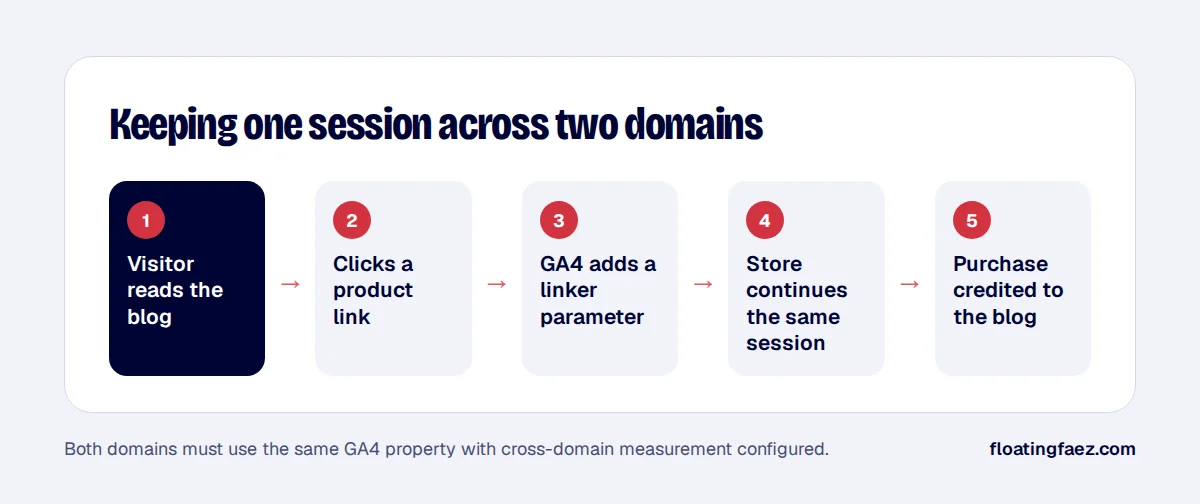
- In GA4, open Admin, Data streams, your web stream, Configure tag settings, then Configure your domains. Add both domains.
- GA4 now adds a
_gllinker parameter to links between the domains, so the session continues.
Mistakes that break it
- Different GA4 properties on each site. They can’t share sessions.
- Redirects that drop query strings, removing the
_glparameter. Check your redirect rules and any link-shortening. - UTM tags on internal links. Never put UTM parameters on links from your own blog to your own store: they start a new session and overwrite the original source.
- Missing referral exclusions for payment providers, so the payment gateway gets credit for the sale. Add them under unwanted referrals.
- Consent banners that behave differently on the two domains. Use the same consent setup on both.
How to check it
- Click from a blog post to the store and look for
_gl=in the store URL. - In GA4 DebugView, confirm the session continues rather than starting a new one.
- After a few weeks, build a report of purchases by first-user source or landing page, and you’ll see which articles actually sell.
If your content and store are on different domains, this is one of the highest-value tracking fixes there is. It’s included in my tracking setup packages.